KT Bevel Vertex

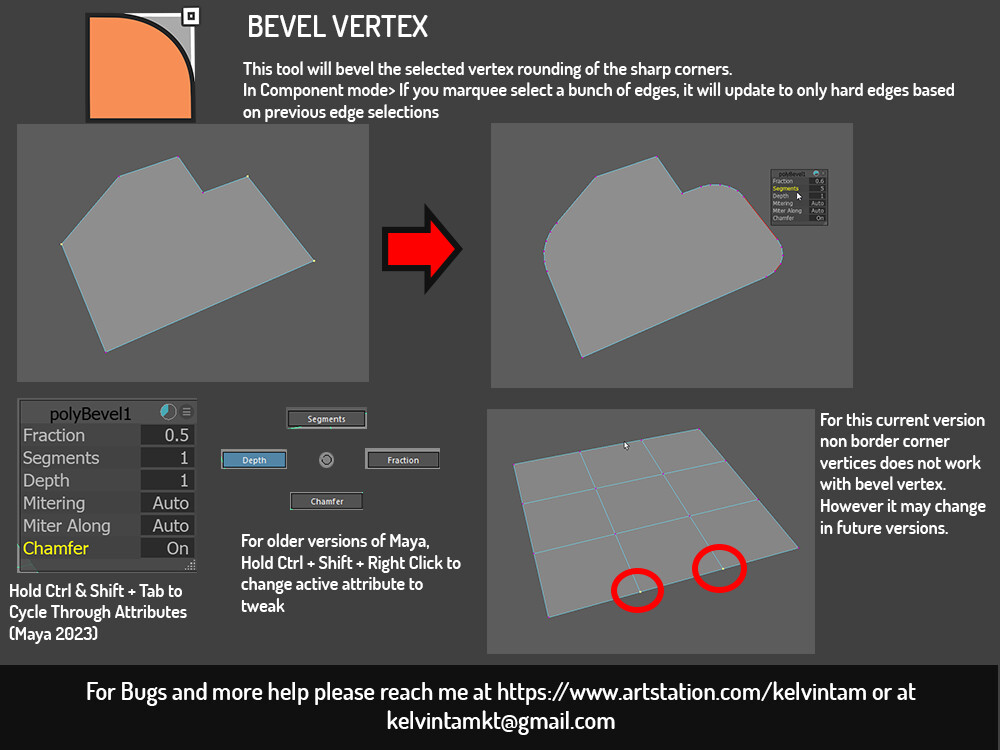
Standalone version of the ktBevelVertex Tool included in ktModelingToolset
https://www.artstation.com/marketplace/p/yrLKz/kt-modelingtoolset-latest-1-54
bevel corner vertices on border.
install:
1)unzip folder
2)put ktBevelVertex.mel inside script folder into your maya script directory C:\Users\YOURPC\Documents\maya\MAYAVER\scripts
3)put icon from icon folder into C:\Users\YOURPC\Documents\maya\MAYAVER\pref\icons
4)create a button on shelf and name it BevelVertex, select the command tab and select MEL. should be on by default
5)Input the following command
source ktBevelVertex.mel;
ktBevelVertex;
6)next to icon Name, click the folder icon on the right and browse to the icon folder and select the ktBevelVertex.png. Remember to save all shelves when done editing the button.
7)Select some corner vertices on the border> activate button> Success!