(MAYA) KTPolyPanelExtract
Release 2.3 (LATEST)
For those of you who already have version 2 and above. please replace the KTpolyPanelExtract.mel from KTpolyPanelExtract2.3.zip into your script folder.
------Feature---------
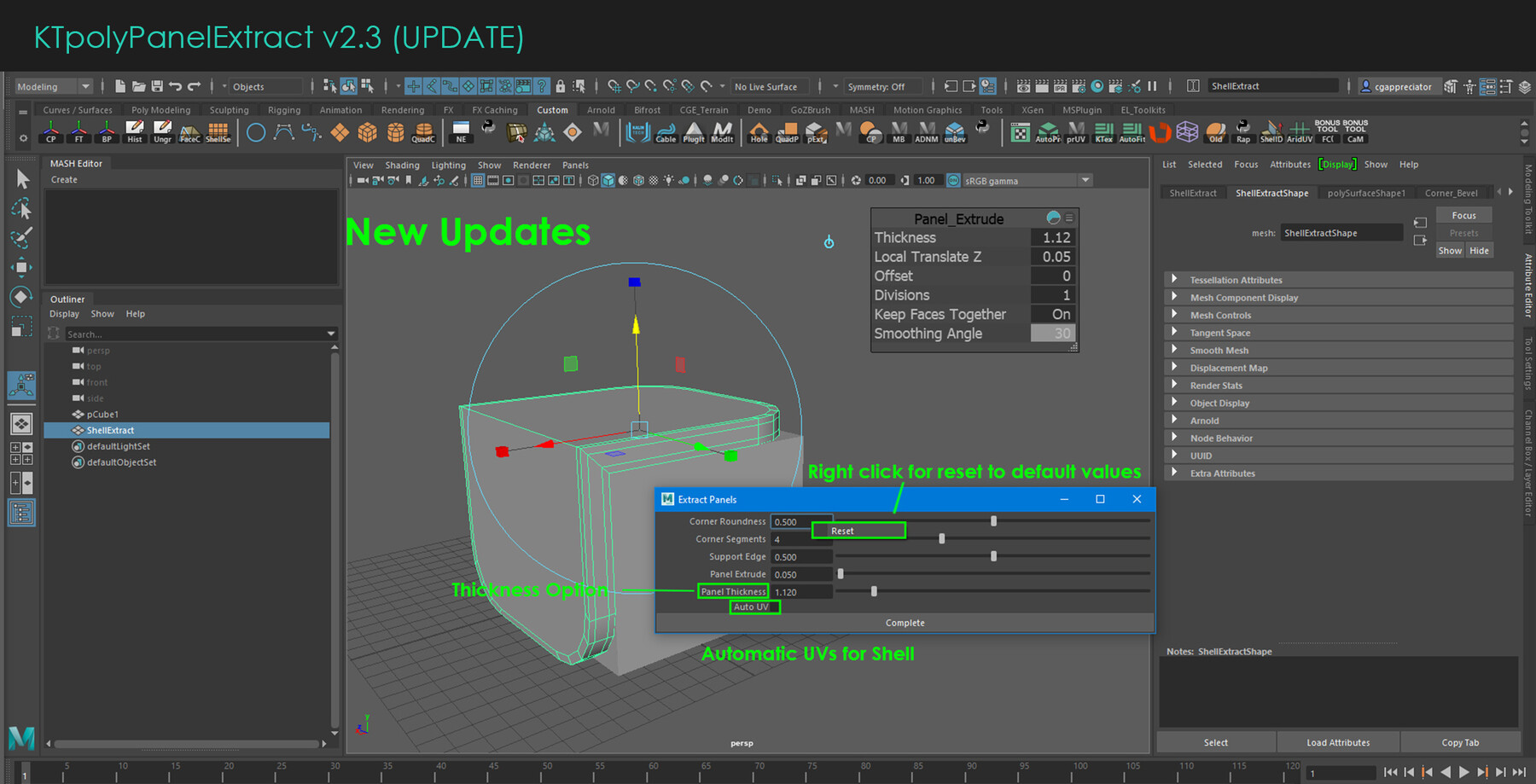
- option to auto uv on shell.
-----UI updates-----
- All tweaks in Panel Tweak Editor is now real-time update
- Closing Tweak window clears history now
- Added thickness option now
- Ability to Reset Values in Panel Tweak window
-------Fixes------
- Fixed bug of selecting other meshes after creation
- Fixed bug of wrong faces being used for Shell creation
- Fixed issue of round corner preset failing on meshes with no corner edges
KTPolyPanelExtract Maya 2018 +
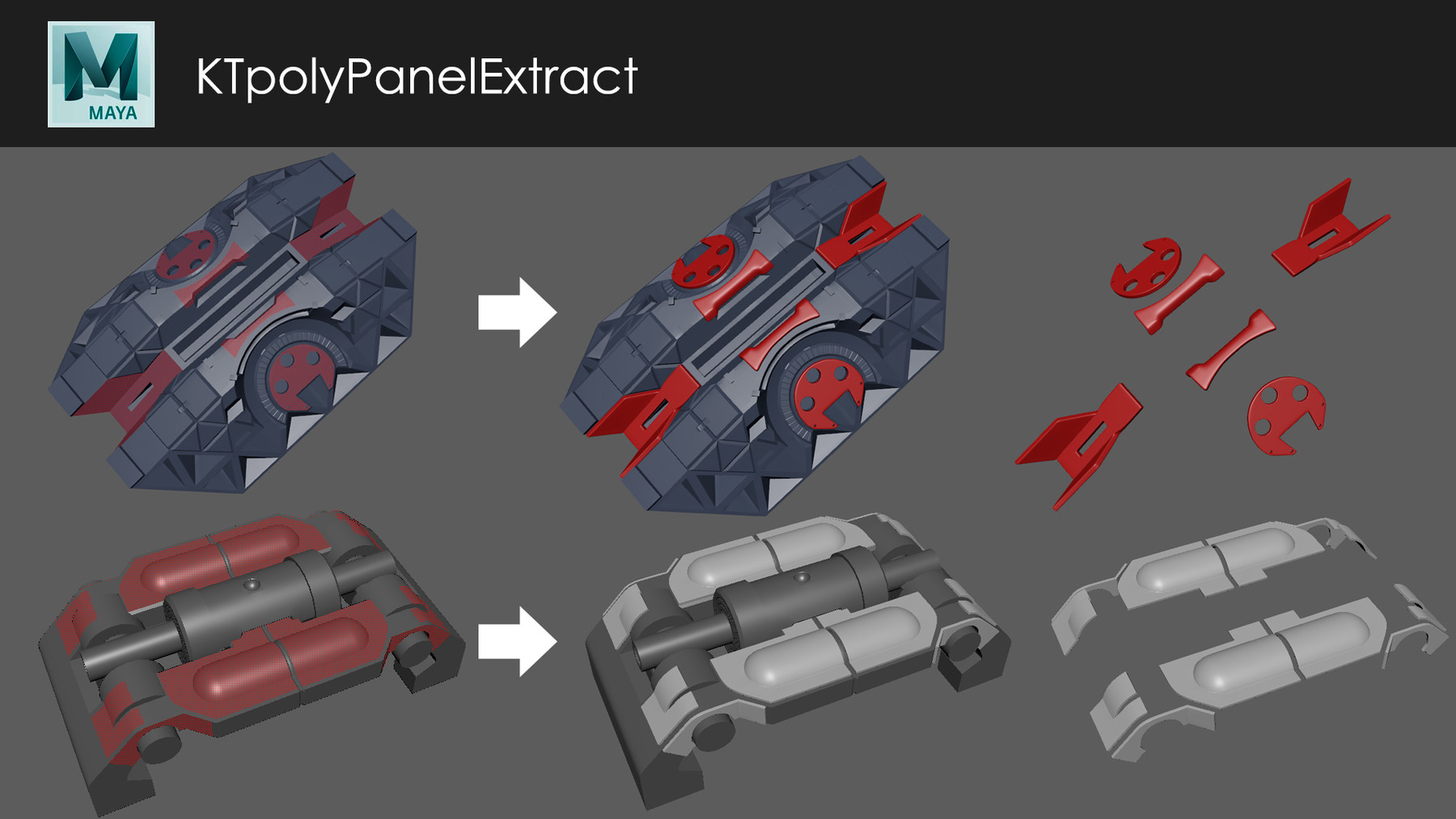
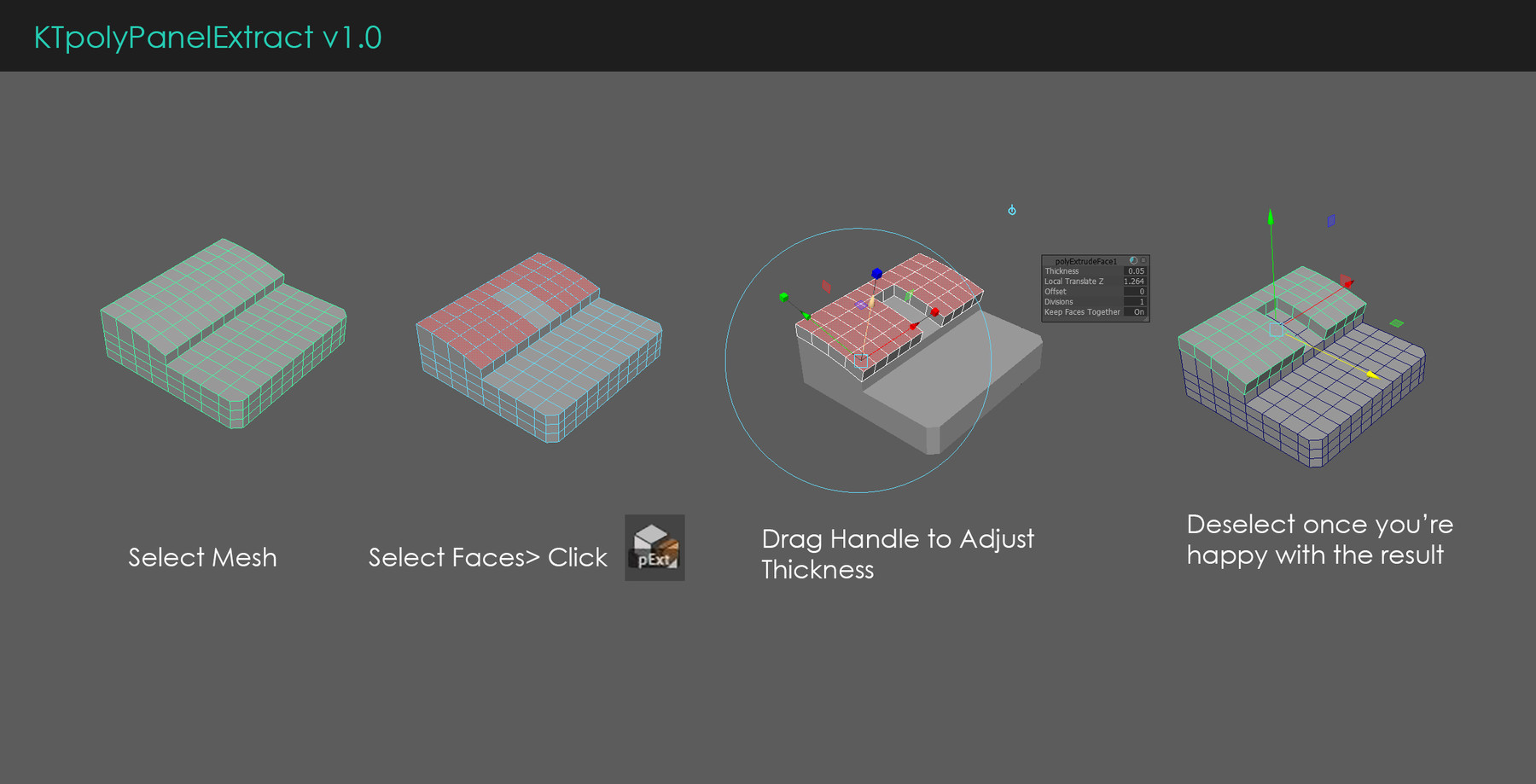
MEL script for Extracting panels from face selections.
Why its useful?
-it helps speeds up the process of creating panels easily with few clicks.
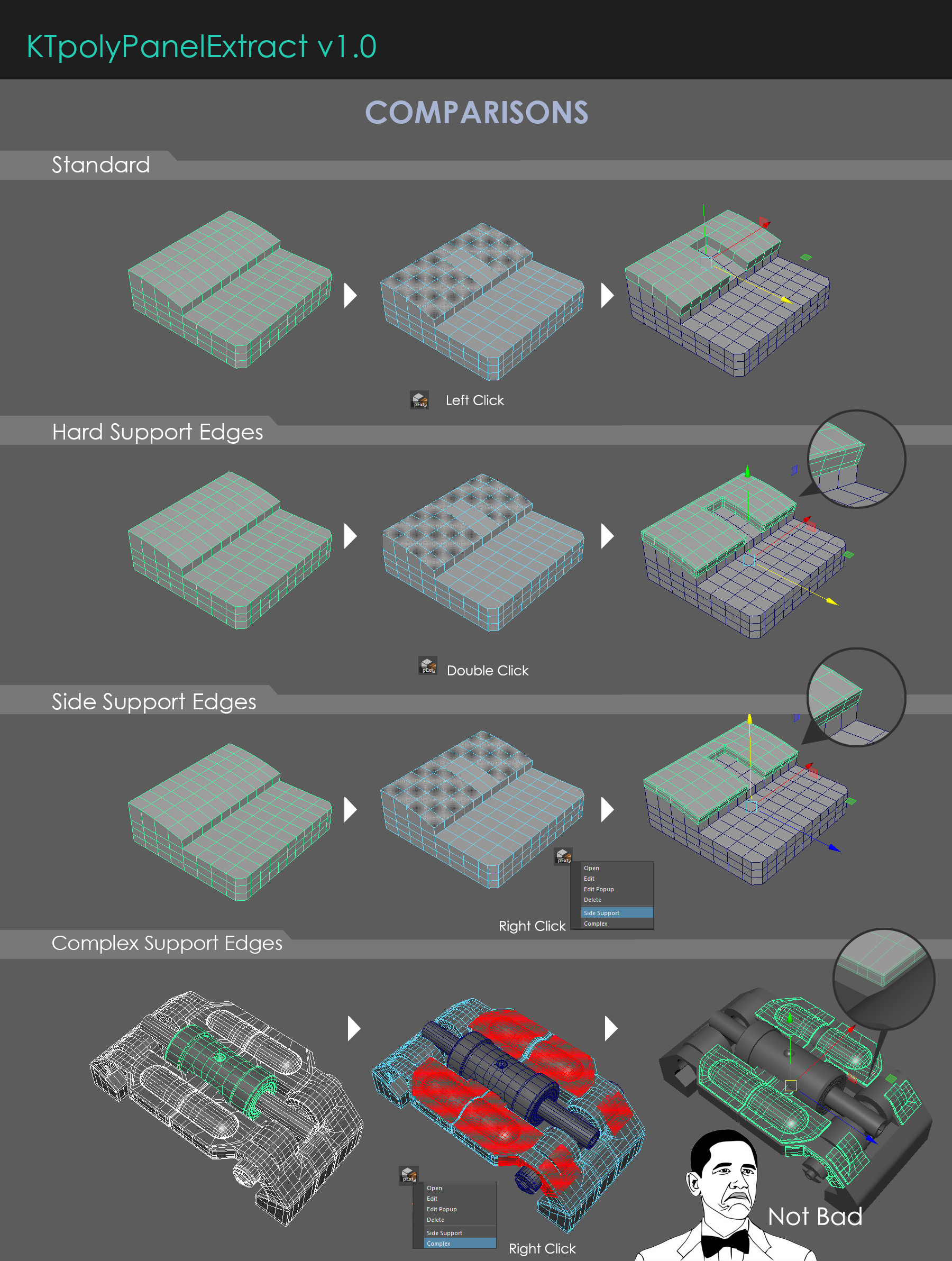
-Handles complex geometry as well.
-Great for Hard Surface models.
Installation for Lite version (Free):
put the icon KTpolyPanelExtract.png into C:\Users\PCName*\Documents\maya\20XX\prefs\icons. Replace the path names and maya version. Drag and drop script from Script Editor to shelf as MEL. Edit shelf button and locate the icon.
Installation for Full version:
Put this script into C:\Users\USERNAME\Documents\maya\20XX\scripts
Put icons into C:\Users\USERNAME\Documents\maya\20XX\prefs\icons
Run KTpolyPanelExtractInstall.mel in script editor
Future updates
- Auto Uv mapping (IMPLEMENTED)
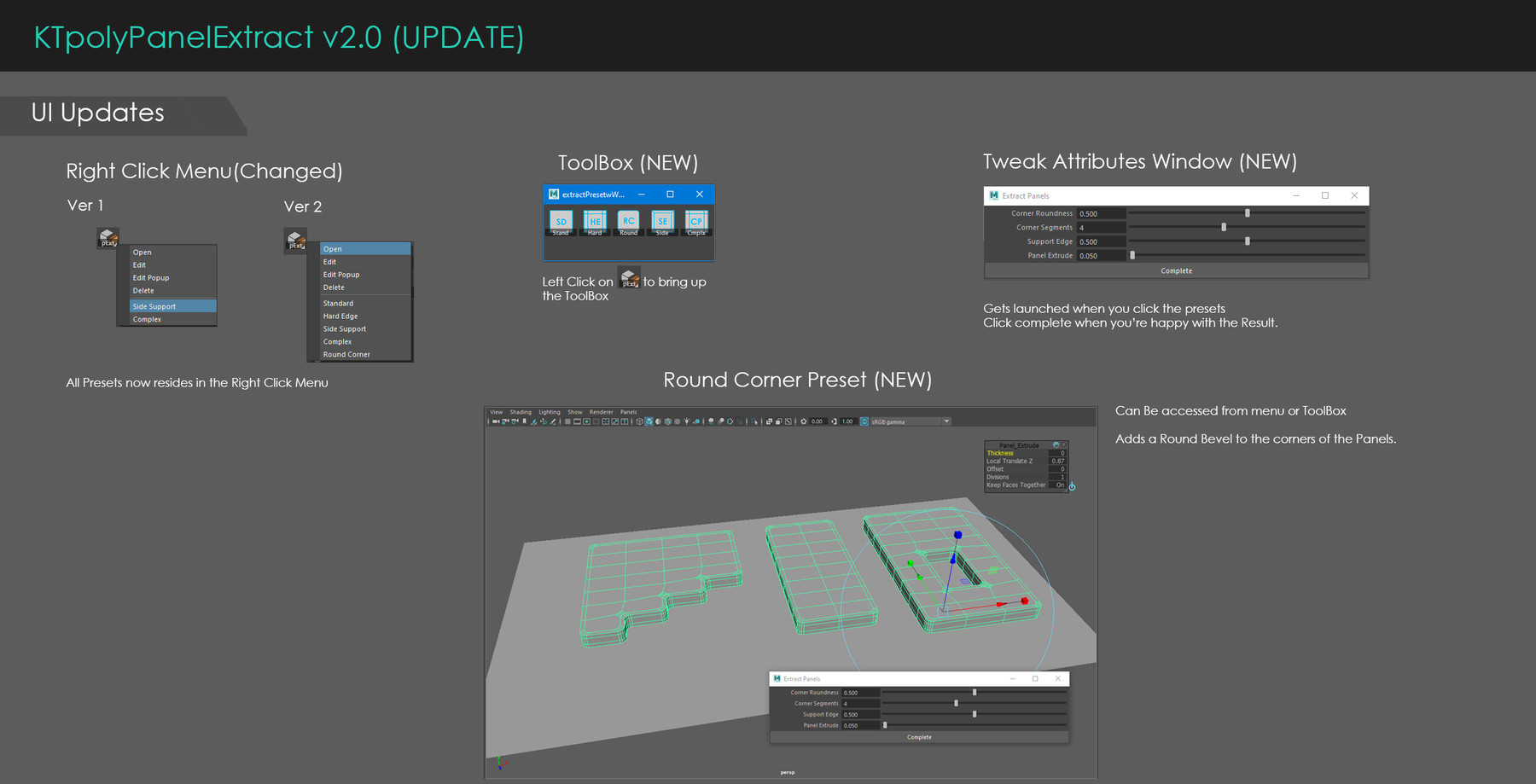
- Round Corner Edges (IMPLEMENTED)
- Draw panel on surface
I will continue to update the script with better features.
Limitations
Geo might need some manual cleanup afterwards varying depending on mesh complexity of original mesh. Works best for geo that doesn't have thin support edges already.
For Questions and Bugs please reach me at kelvintamkt@gmail.com or message me on artstation.
Release Notes
Included icons and installing instructions/video