(Maya) Smart Curve Extrude
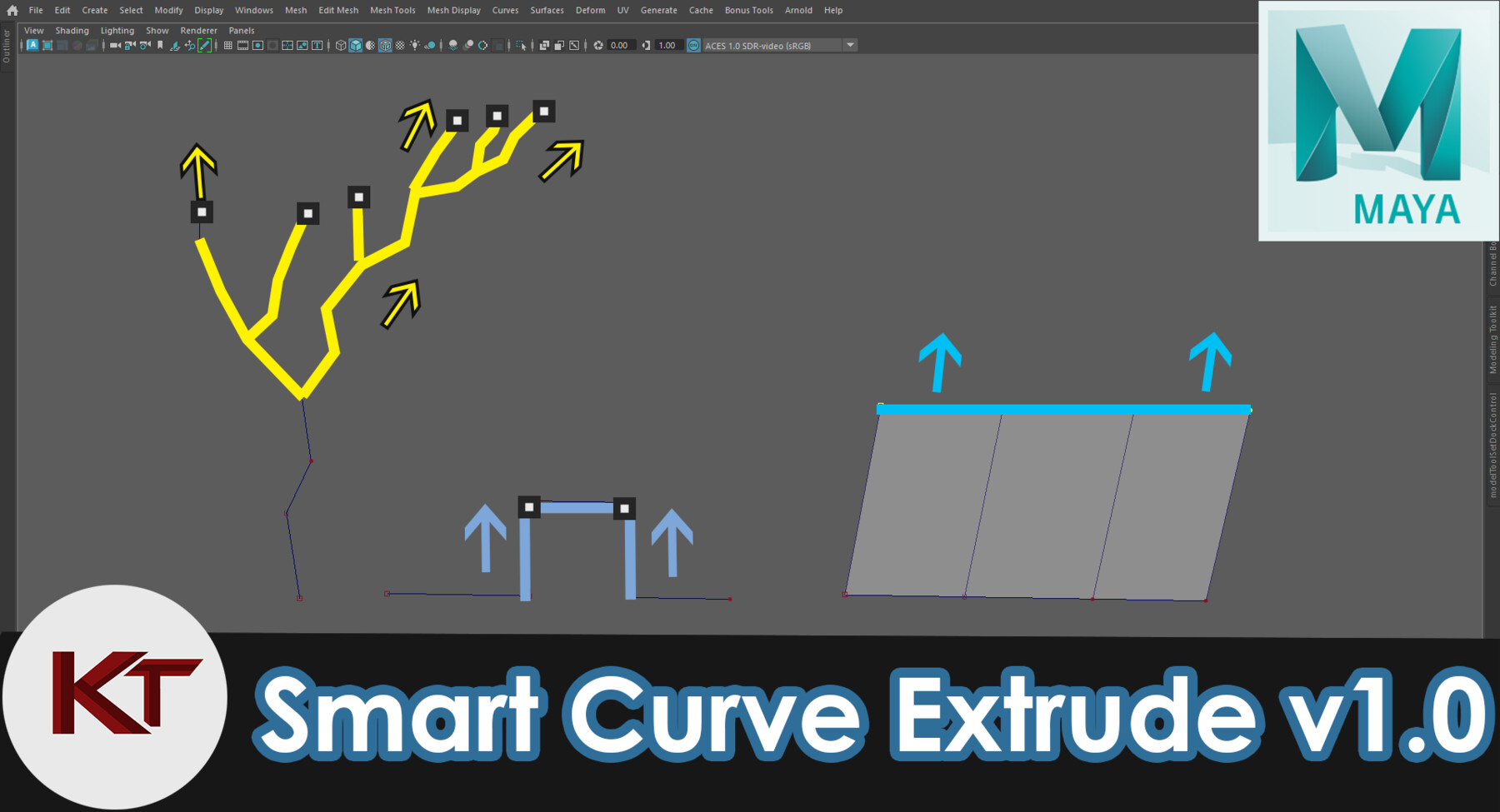
Inspired by Blenders vertex extrude. I have hack together a way to replicate a similar functionality in Maya.
This script is a Heavily Modified version of ShiftClickSmartDupe.mel script originally from Autodesk, to include the functionality for extrude Curve cvs.
v1.2
- Support for maya 2025 added.
- Fixed issue with new curve creation when selection second cv point.
Important note: Smart curve extrude needs closestPointOnCurve.mll (plugin) to be loaded in order to work properly
No longer need to replace the original script from C:\Program Files\Autodesk\Maya2025\scripts\others
Simply just unzip the scripts and put it into user script directory C:\Users\User_PC\Documents\maya\20XX\scripts.
Restart maya.
To Activate after starting Maya:
Simply select a Cv curve> go into Control Vertex mode> select cvs and hold shift + click drag> curve will be extruded.
HotFix 1.1 -- fixed issue with starting point extrusion
Methods:
Single CV (start cv or end cv)
Shift + LeftClick Drag will extrude a new segment from selected cv.
Single CV (any cv between start and end)
Shift + LeftClick Drag will Create a new Curve starting from the original selection position.
Multiple CVs - End or Start of Curve
Shift + LeftClick Drag will extrude a new segment from the start for the Cv selection.
Multiple CVs - Middle of Curve
Shift + LeftClick Drag will extrude 2 new segment from the start and end of Cv selection.
All CVs
With all the cvs selected> Shift + LeftClick Drag will extrude a single side mesh.
CAVEAT: Current version doesn't support Bezier Curves.
Release Notes
- Support for maya 2025 added, should work without problem now. Thanks to @xXShowkillerxX9 for reporting this issue
- Fixed issue with new curve creation when selection second cv point.
No longer need to replace the original script from C:\Program Files\Autodesk\Maya2025\scripts\others
Simply just unzip the scripts and put it into user script directory C:\Users\User_PC\Documents\maya\20XX\scripts.
Restart maya.